Installing Architecture Studio
Step-by-step guide to installing Architecture Studio plugins in Claude Desktop and Claude Code, with screenshots.
Architecture Studio is distributed as a set of plugins for Claude Desktop and Claude Code. Each plugin is a self-contained bundle of skills organized by project phase — due diligence, site planning, zoning, programming, specifications, sustainability, materials research, presentations, and a dispatcher that routes you to the right skill.
Prerequisites
You need one of the following:
- Claude Desktop (Mac or Windows) — the standalone app from claude.ai
- Claude Code — the CLI tool, available via
npm install -g @anthropic-ai/claude-code
Both require an active Claude Pro or Team subscription.
Installing in Claude Desktop
Step 1: Open the Customize panel
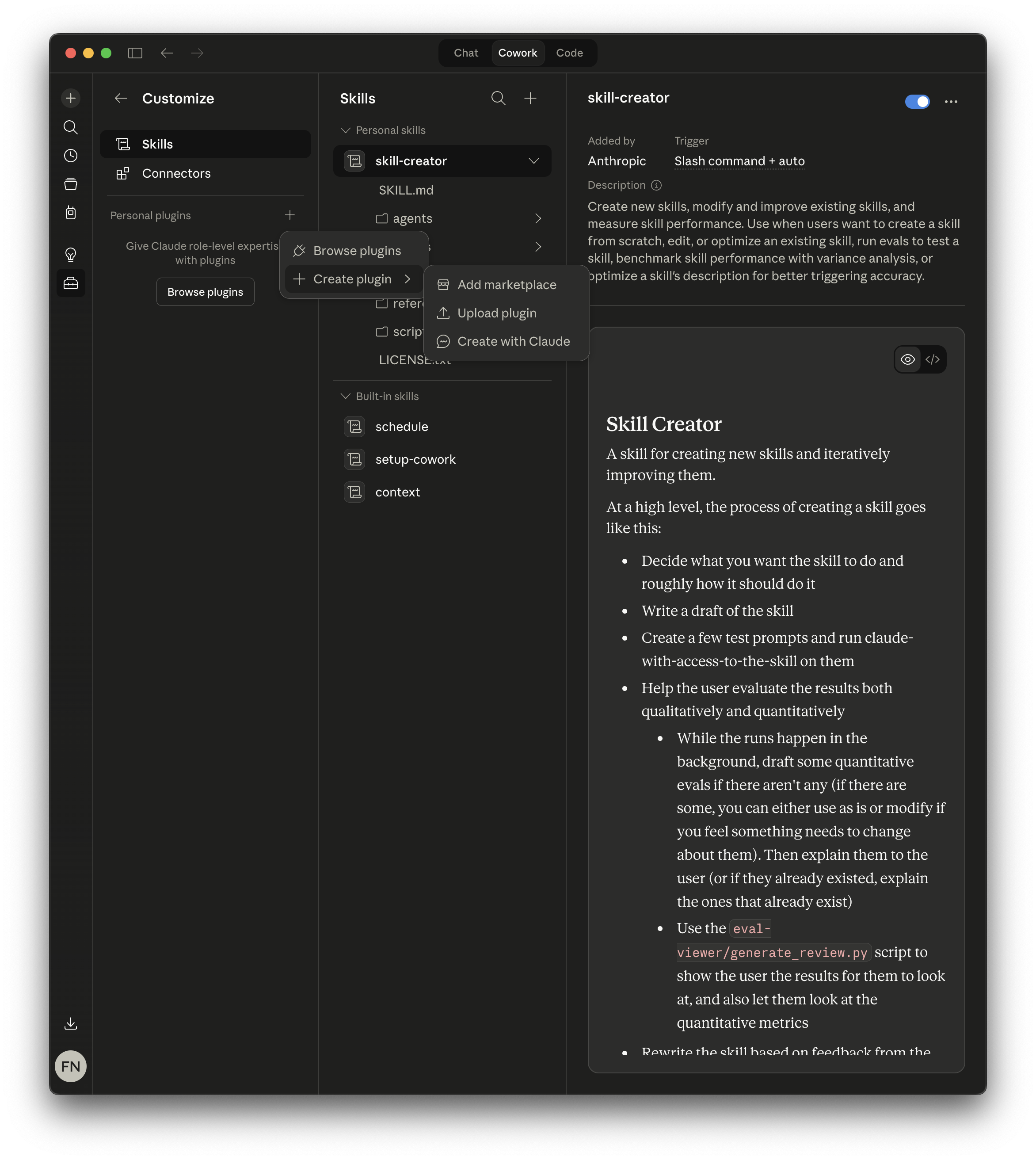
Click the sliders icon in the sidebar to open Customize, then select Skills in the left panel. You’ll see any existing skills listed under Personal skills and Built-in skills.
Under Personal plugins, click Create plugin to expand the menu, then select Add marketplace.
Step 2: Add the Architecture Studio marketplace
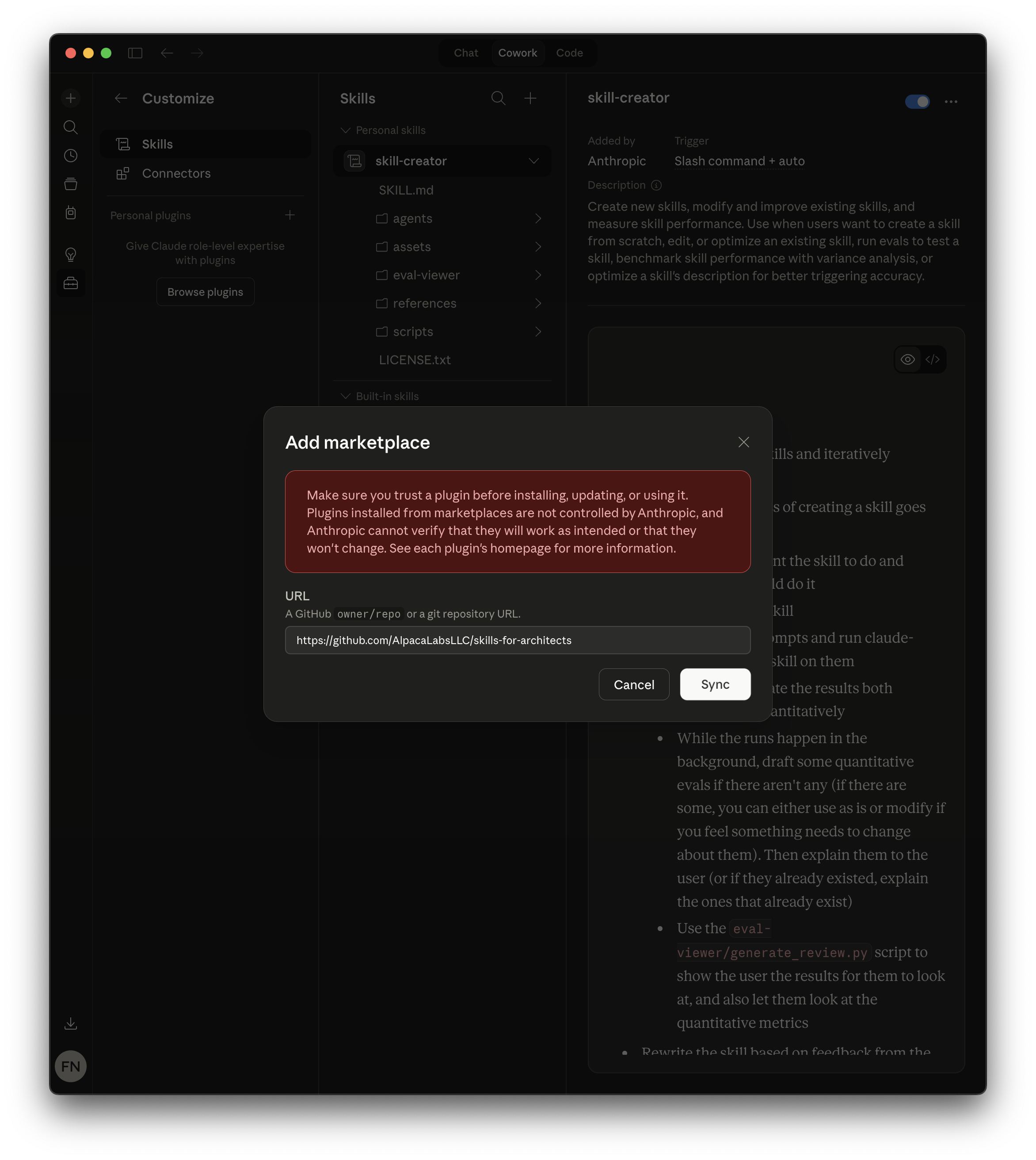
In the Add marketplace dialog, paste the repository URL:
https://github.com/AlpacaLabsLLC/skills-for-architectsClick Sync to connect the marketplace.
Step 3: Install plugins
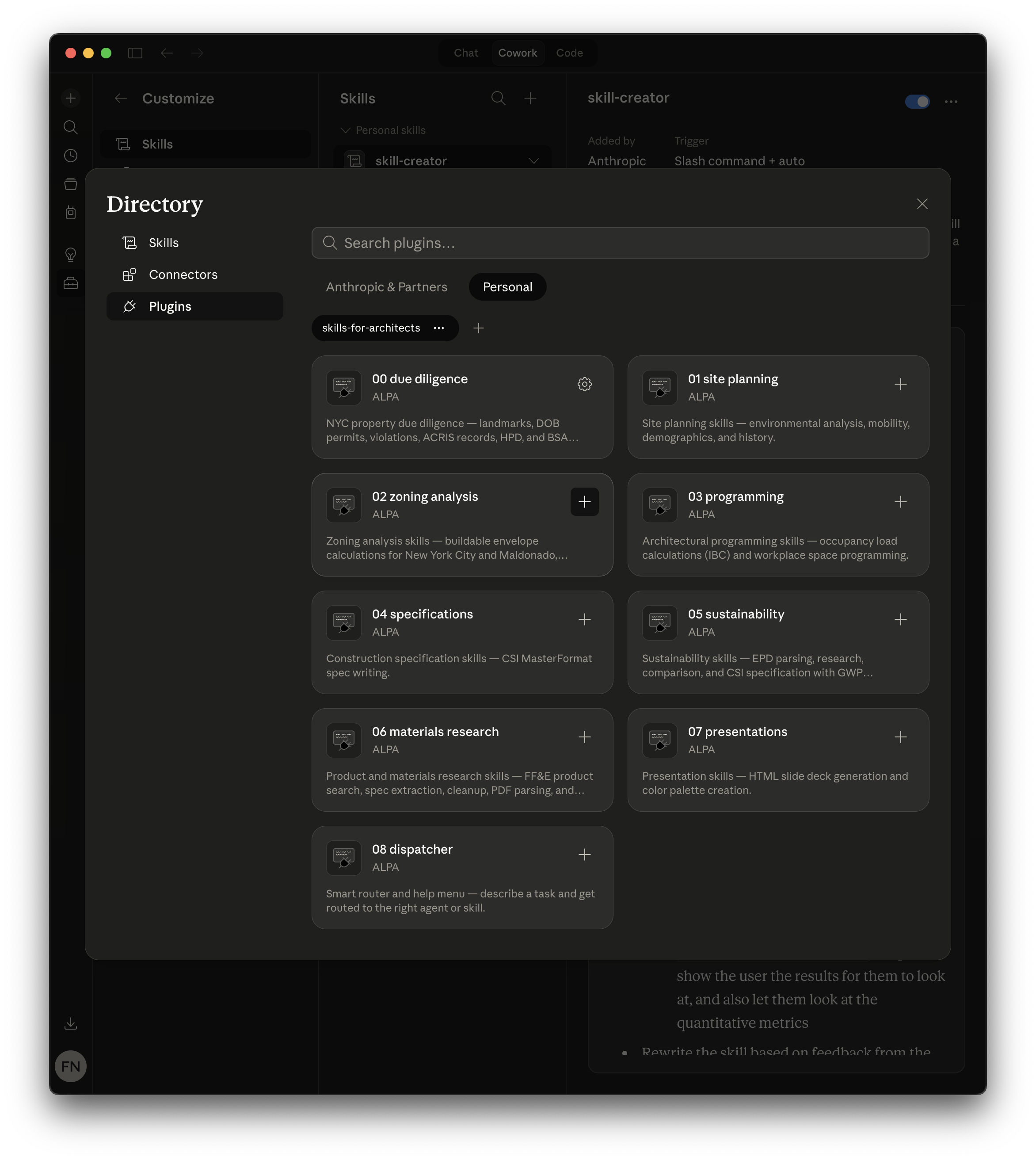
After syncing, click Browse plugins to open the Directory. Select the Personal tab to see all nine Architecture Studio plugins. Click the + button on any plugin card to install it.
Installing in Claude Code (CLI)
# Add the marketplace
claude plugin marketplace add AlpacaLabsLLC/skills-for-architects

# Install individual plugins
claude plugin install 00-due-diligence@skills-for-architects
claude plugin install 01-site-planning@skills-for-architects
claude plugin install 02-zoning-analysis@skills-for-architects
claude plugin install 03-programming@skills-for-architects
claude plugin install 04-specifications@skills-for-architects
claude plugin install 05-sustainability@skills-for-architects
claude plugin install 06-materials-research@skills-for-architects
claude plugin install 07-presentations@skills-for-architects
claude plugin install 08-dispatcher@skills-for-architects
Verifying the installation
After installing, type /studio in any conversation. If the plugins are installed correctly, Claude will present the Architecture Studio menu listing all available workflows.
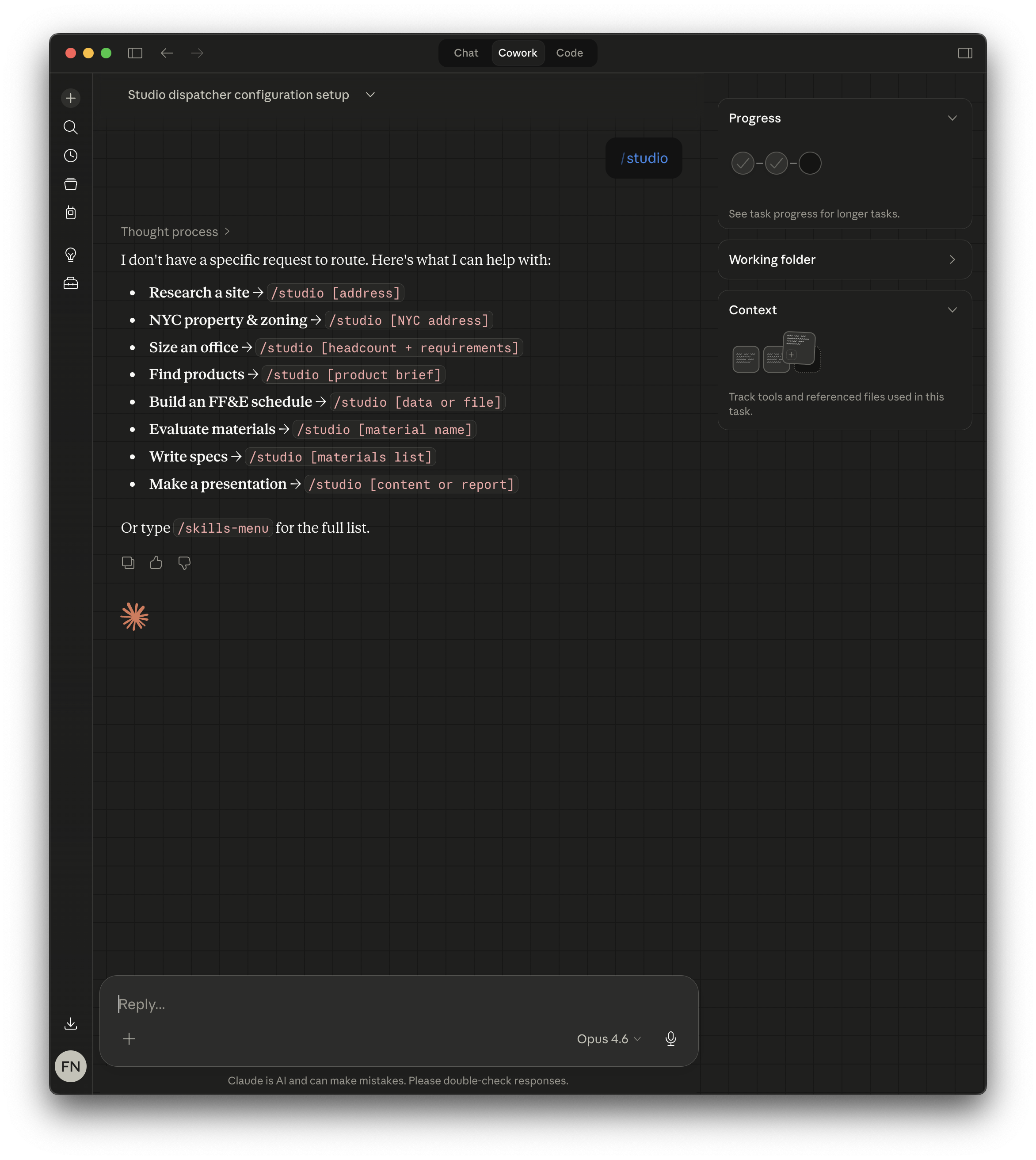
You can also type / followed by any skill name (e.g., /zoning-lot, /site-analysis, /epd-parse) to invoke a specific skill directly. Type /skills-menu for the full list of available commands.
Updating
Plugins update automatically when the marketplace source is updated. To manually refresh in Claude Code:
claude plugin marketplace update skills-for-architectsTroubleshooting
Plugins appear in Directory but not in Skills: You browsed the marketplace but didn’t install the plugins. Go to Customize → Skills → Create plugin → Add marketplace, then Browse plugins to install them.
/studio doesn’t work: Make sure at least one plugin is installed. The dispatcher plugin (08) or any domain plugin will enable the /studio entry point.
Skills don’t trigger automatically: Some skills trigger on slash commands only. Type / to see the full list of available commands.
Distributing to a team? See Distributing Skills to Teams for project settings, managed settings, and MDM deployment.
Need help? Open an issue on GitHub or email [email protected].